Buying guide / 02
Best UV DTF Printers for Small Business
Compare a dedicated UV DTF printer, outsourced transfers and a compatible flatbed with lamination.
Choose a production route
UV DTF puts a design onto film for transfer onto a compatible hard surface. Start with outsourced sheets if you need to validate a new product, run short orders or offer a wide variety of artwork. Track sheet utilization and repeatability before buying equipment.
When a dedicated machine makes sense
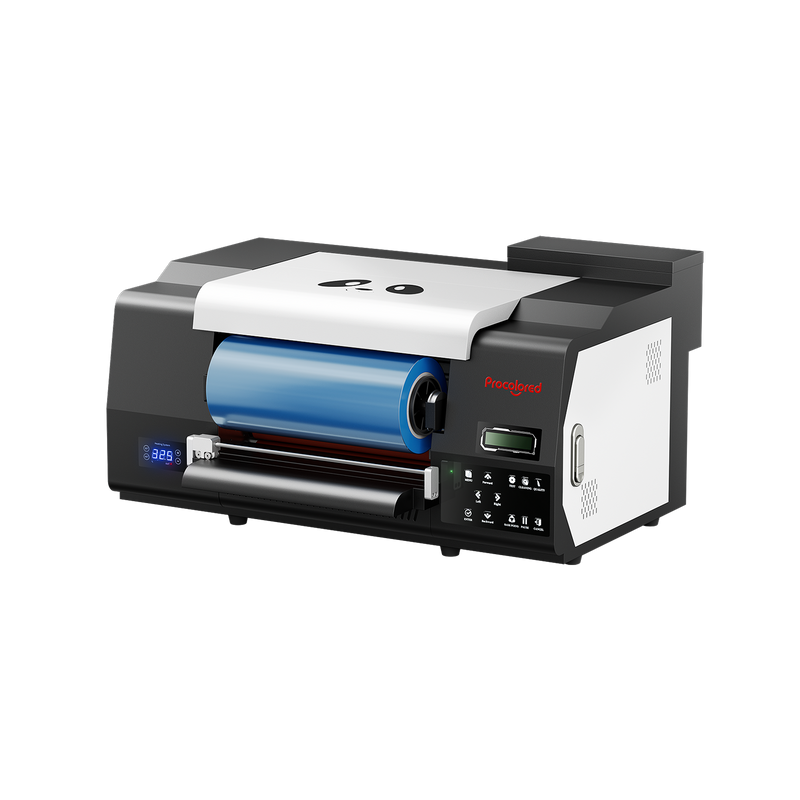
The VF13 Pro combines printing and lamination, which suits a shop that expects recurring orders for transfers. Price both films, UV DTF ink, varnish, cleaning, bench or stand space and hands-on application. A printer’s output speed covers one part of the finished job.
When to add lamination to a UV setup
A compatible flatbed plus the manufacturer’s film and laminator can serve a shop that mainly prints directly but wants to add transfers. Compare accessory fit and useful film area. If you switch workflows repeatedly, record the time and material used for changeovers.
Buy vs outsource
Use the worksheet below to compare an outsourced transfer with an in-house transfer at 50, 200 and 500 sellable pieces a month. Replace every example input with your own quote. The variables apply to the printed transfer; add blank, application and delivery costs if they differ between routes.
Confirm materials and application
Film designed for UV DTF and film designed for apparel DTF serve different workflows. Request a sample on your actual blank and test handling and adhesion under the conditions in which customers will use it. Follow the equipment and material maker’s instructions.
| Monthly sellable transfers | In-house per piece (example) | Outsourced per piece (example) |
|---|---|---|
| 50 | $4.25 | $1.75 |
| 200 | $1.55 | $1.75 |
| 500 | $1.01 | $1.75 |
Equipment to compare
A dedicated print-and-laminate machine for recurring transfer orders.

Three versions for shops deciding whether to add specialty UV effects or a separate fabric workflow.

A desktop starting point for textured flat goods, with optional workflows for cylindrical pieces and transfers.